How to get a good guitar tone recording direct: DI, amp sims and signal chain basics
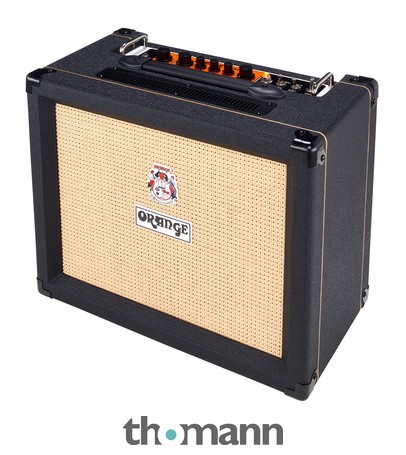
I'll be honest with you: for a long time I resisted recording direct. My instinct has always been to put a microphone in front of a real amp, dial in the room, and let the physics do the work. After years of session dates in proper studios, that felt like the only legitimate approach. Then I started doing more work from home, and the reality of a New York apartment — thin walls, a landlord with opinions, neighbours on three sides — pushed me toward the DI route. What I found surprised me.
Done thoughtfully, recording direct through an amp simulator is genuinely viable. The key word is thoughtfully. The signal chain decisions you make matter far more than most people expect, and the mistakes are easy to avoid once you understand what's actually happening.
What "going direct" actually means
When you record direct, your guitar signal bypasses a physical amp and speaker entirely. Instead, it goes into an audio interface — a small hardware device that converts your analogue signal to digital — and from there into software. That software might be a standalone amp simulator application, or plugins running inside your DAW (digital audio workstation).
The amp simulator models the behaviour of real amplifiers and speaker cabinets: the frequency response, the harmonic saturation, the way a speaker colours the sound. Quality varies enormously. The gap between a thoughtfully designed modern sim and a poor one is wider than most people realise, and it's largely a gap in how accurately the modelling captures the nonlinear behaviour of tubes and transformers under load.
Start with a clean, strong signal at the interface
The single most common mistake I hear in home-recorded guitar is a weak input signal. If your interface gain is set too low, you're recording mostly noise and then asking the amp sim to work with an anaemic signal. If it's set too high, you're clipping before the sim even sees the sound.
Aim for your input meter to be peaking comfortably in the middle range — not tickling the red, not lurking at the bottom. Most interfaces have an instrument-level input (sometimes labelled Hi-Z) specifically for guitar. Use it. Plugging into a line-level input will give you a thin, quiet signal regardless of your gain setting, because the impedance matching is wrong.
Your guitar's own volume and tone controls are part of this chain. If you're playing clean jazz or clean session work, you're probably already used to running your volume full up and letting the amp do the work. The same logic applies here.
The cab simulation question
This is where a lot of players go wrong when they first try amp sims. An amp model without a cabinet simulation — what engineers call an IR, or impulse response — sounds harsh and unrealistic. It's the cabinet and microphone placement that takes a bright, midrange-heavy amp signal and turns it into something that sounds like a recording.
Most amp sim plugins and hardware units include cabinet simulations by default, and many let you load third-party IRs. If you have the option, experiment with different IRs — a Celestion Alnico Blue IR will respond very differently from a Jensen P12Q, just as the physical speakers would. For clean, articulate work, I tend to gravitate toward IRs captured with a condenser microphone positioned slightly off-axis. That gives you detail and air without harshness.
Latency and monitoring: the practical reality
Here's a challenge that doesn't get enough attention in beginner guides: latency. When you play a note and the sound has to travel through your interface, through the computer, through the plugin, and back out to your headphones, there is a delay. Even a small delay — say, 10 to 15 milliseconds — can make it very hard to play in time, because your ears are receiving information slightly after your hands have acted.
The solution is to either use an interface with direct monitoring (which routes a dry signal to your headphones with near-zero latency, letting you hear the processed sound only during playback), or to use dedicated hardware like a modelling unit or preamp with built-in amp simulation that handles the processing before the computer gets involved. Some players prefer dedicated hardware for exactly this reason — it keeps the feel of a real-time performance. If you're exploring compact home-practice solutions that include modelling, our review of the Yamaha THR10II (check price) covers how that kind of desktop unit handles the amp-sim workflow, and it's a useful reference point for understanding what hardware processing can offer.
Where your guitar choice matters more than you'd expect
Amp sims are revealing. More so, in my experience, than a real amp with microphone bleed and room acoustics softening the edges. What your hands are doing, how the strings respond, how the pickup winds — all of it comes through clearly. A guitar with a particularly bright or thin single-coil pickup will sound bright and thin through a sim. A muddy or poorly balanced humbucker won't be flattered either.
This isn't a reason to buy a more expensive guitar before you invest in your interface or plugins. It's a reason to understand that tone-matching a direct recording starts at the instrument. If you're shopping for an instrument partly with recording in mind, our guide to the best intermediate electric guitars covers some well-balanced options that translate well in recorded contexts.
Putting the chain in order
A clean, workable direct recording chain looks like this: guitar into a Hi-Z instrument input on your interface, with gain set for a healthy signal. Interface into your DAW. Amp sim plugin on the track, with cabinet simulation active. Output to studio monitors or headphones. Keep the chain short and deliberate.
If you want to add effects — reverb, delay — I'd suggest placing them after the amp sim, just as they would sit in the effects loop or in front of a microphone in a live room. That keeps the sim responding only to a dry guitar signal, which is how it was designed. For reverb options that work well in this context, our roundup of the best reverb pedals is worth reading even if you end up using plugin versions — the same principles of room size, decay, and pre-delay apply whether you're using hardware or software.
Recording direct is a discipline, not a compromise. Treat it that way, and the results will reflect that.
Common questions
- Do I need an expensive audio interface to record guitar direct?
- Not necessarily. The most important features are a dedicated instrument-level (Hi-Z) input, low-latency drivers, and clean preamp gain. Many affordable interfaces meet those requirements. Where you spend more, you typically gain better preamp headroom and lower noise floors — meaningful for clean recordings, but not a barrier to entry.
- Can I use amp sim plugins with any DAW?
- Most amp sim plugins are available in VST, AU, or AAX formats, which cover the major DAWs — Logic, Ableton, Reaper, Pro Tools, and others. Check the plugin format against your DAW's supported formats before purchasing. Free amp sim options also exist in most DAWs as stock plugins, which are worth exploring before investing in third-party software.
- Is there a difference between recording direct with a plugin versus a hardware modeller?
- The end result can be very similar in terms of sound quality, but the workflow differs. Hardware modellers handle processing in real time with minimal latency, which many players find easier to perform with. Plugins offer more flexibility for editing and swapping tones after recording. Neither approach is inherently superior — it depends on your priorities.
- Should I record with the amp sim active, or record the dry signal and add it later?
- Recording the dry signal alongside the processed signal — called re-amping — gives you the most flexibility. You can adjust your amp sim tone after the performance without re-recording. Most DAWs allow you to record both simultaneously if your interface has the routing for it. If that feels complicated at first, recording with the sim active is fine; just be deliberate about your settings.
I'm Marc. My background is jazz — conservatory training, years of session work, and a long-standing love affair with hollowbody archtops and a clean, articulate tone. I think about gear the way I think about voicings: every component shifts the colour of the whole. I'm drawn to instruments that reward a light touch and reveal what your hands are actually doing. You won't find hyperbole in my reviews; you'll find careful listening, and an honest account of how a guitar or amp behaves when you ask something musical of it.
Conservatory-trained jazz guitarist and session musician
More from Marc
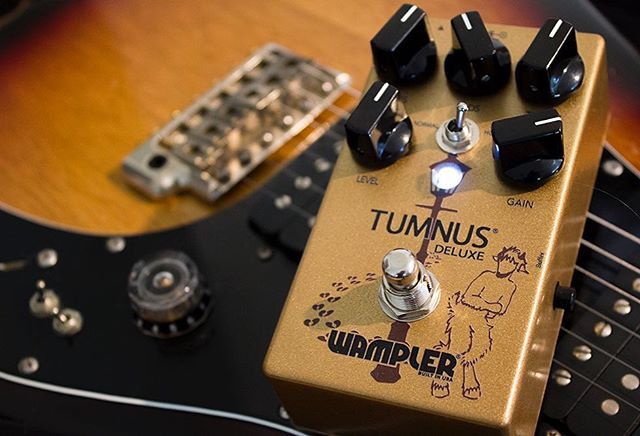 How to place a fuzz pedal in your signal chain (and why position changes everything)Where you put a fuzz in your signal chain changes how it sounds and responds. Here's how to think through the options clearly.
 When Should You Upgrade Your Guitar? Signs You're ReadyHow to know when your first guitar is holding you back — and what a step-up instrument actually gets you for the money.
 Single Coils vs Humbuckers: Which Pickups Are Right for You?The two great pickup families, and how they shape everything about your tone. A clear, practical guide to choosing the right voice for your playing.