How to dial in high-gain amp-sim tones at home: avoiding the common mistakes
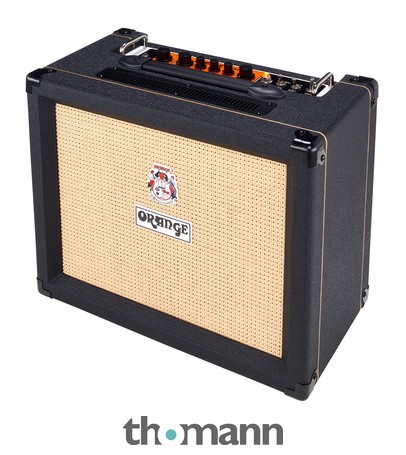
Honestly, I spent years convinced that recording high-gain tones at home meant either waking the neighbours with a cranked head or settling for something that sounded like a wasp in a biscuit tin. Then I got serious about amp sims and DI recording, and now my home recordings hold together as well as anything I tracked in a proper studio. But it took me a long time to understand why they were falling apart in the first place — so let me save you the pain.
The cab-sim problem nobody talks about enough
When you plug straight into an amp sim and it sounds harsh and fizzy, most people blame the sim itself. Nine times out of ten, it is not the sim. It is the cabinet impulse response — the IR — or the lack of one. Every real guitar cab cuts frequencies above roughly 5–6 kHz naturally, just because of the physics of a speaker in a box. Without that cut, your amp sim is sending you the full, unfiltered preamp output, and that is genuinely unpleasant at high gain settings.
If your sim has built-in cab models, make sure one is actually active. If you are loading third-party IRs — which I strongly recommend — pay attention to which mic position you are using. A close-miked centre-cap position is going to be brighter and more aggressive than an off-axis or edge-of-cone position. For modern metal, I almost always blend at least two IR positions: one close-centre for attack and definition, one edge-of-cone or slightly room to add body. The difference is SIGNIFICANT.
Your input gain stage is probably wrong
High-gain players have a habit of pushing as much level into a sim as possible, because that is what we do with real amps — hit the front end hard. With amp sims, this thinking will destroy your tone. Most software sims model the input stage, and if you clip it before the virtual preamp, you get digital clipping on top of amp distortion. It sounds like a mess.
Set your audio interface input so your guitar peaks around -12 to -18 dBFS. That sounds quiet, and it feels wrong, but the sim's own gain staging will do the work from there. Similarly, if you run an active pickup guitar — and if you are into serious metal guitars, there is a decent chance you do — you may need a pad on your interface input or a buffer before the interface to keep levels sensible.
EQ after the sim matters as much as EQ inside it
Once you have your cab sim dialled in, most people stop. Do not stop there. High-gain guitar in a mix needs additional post-sim EQ, and there are two cuts that make a dramatic difference almost every time.
- High-pass at 80–100 Hz: Guitar does not live down here. Low-end mud under a high-gain tone will fight your bass and kick drum and make the whole mix feel dense and airless. Cut it. Aggressively.
- A narrow cut somewhere between 2–4 kHz: This is the 'harshness' range for high-gain guitar. Sweep a narrow boost around in there until you find what is annoying you, then flip it to a cut. How deep depends on the sim and the IR, but even 2–3 dB makes a track sit noticeably better.
Also, rolling off above 8–10 kHz with a gentle high shelf is rarely wrong. There is not much musical information up there for a distorted guitar, and leaving it in adds listening fatigue.
Double-tracking is not optional for heavy tones
I know you have heard this before, but I want to be specific about how to do it. Record two completely separate takes — same part, played fresh. Do not duplicate the track in your DAW and pan them. Duplicating a single take and panning it creates a comb-filtering effect known as the Haas effect, and it sounds phasey and weird rather than wide and powerful.
Two real takes, panned hard left and right, with slightly different amp sim or IR settings on each side — one slightly brighter, one slightly warmer — is the standard approach for a reason. It works. The tiny timing differences between takes create natural width, and the tonal variation between the two sides gives depth. This is the single biggest upgrade you can make to a home high-gain recording, FULL STOP.
Noise gates: use them, but use them right
A high-gain amp sim with a hot pickup will produce hiss and hum between notes. A noise gate before or inside the sim keeps things tight. The mistake is setting the threshold too high, so the gate is clipping the start of picked notes and making your attack sound stuttery and artificial.
Set the threshold just above your noise floor — low enough that the gate fully opens the moment you pick a note. The attack time should be nearly instant for metal or djent. The release is where most people go wrong: too fast and notes cut off unnaturally; too slow and you hear the noise tail before it closes. Aim for a release that lets your natural note decay breathe before the gate shuts. Takes some patience to dial in, but it is worth it.
Monitor at a sensible volume and on headphones to check
Here is something I learned the hard way. High-gain amp sim tones that sound enormous through monitors at loud volumes often turn into a wall of undifferentiated noise at lower playback levels or in headphones. Always reference your tone in headphones and at bedroom volumes before you commit to a take. If you are working with a modest setup and looking at options, our Boss Katana-50 MkII (check price) review covers a solid choice for monitoring practice tones, and if you want to think about dedicated practice amp monitoring, the best practice amps guide has options worth considering alongside your interface setup.
The fundamental thing to understand about amp sims — whether you are running a dedicated hardware profiler or a DAW plugin — is that the principles are the same as working with real gain-staging through pedals and amps. Garbage in, garbage out. Get the signal chain right from interface input to IR output, apply sensible post-processing, and double-track properly. Do those three things and the gap between your home recordings and professionally produced metal closes dramatically.
Common questions
- Do I need a dedicated audio interface for amp sim recording, or can I plug straight into my computer?
- You need an interface. A dedicated audio interface gives you a proper high-impedance instrument input, low-latency drivers, and clean preamps. Plugging directly into a built-in soundcard introduces latency that makes real-time monitoring unusable and usually adds noise from cheap internal components. Budget interfaces are inexpensive enough now that there is no reason to skip one.
- Why does my high-gain amp sim sound great through headphones but thin in a mix?
- Two main reasons. First, you are likely boosting too much low-mid to compensate for the headphone sound, which clashes with bass and kick in a full mix. Second, without double-tracking, a single guitar track lacks the width needed to fill space at high gain. Reference your tone with a full backing track from the start, not in solo.
- What is a good starting point for noise gate settings on a high-gain sim?
- Set the threshold just above your background noise level — play nothing and slowly raise the threshold until the hiss disappears, then stop. Use an instant or near-instant attack. Set the release between 100–300 ms as a starting point and adjust until notes decay naturally before the gate closes. Always check with actual playing, not just static settings.
- Are paid impulse responses worth it over free ones?
- Plenty of free IR packs are genuinely excellent, so paid does not automatically mean better. The more important variable is the cab and mic combination that was captured, and whether it suits your style. For high-gain metal tones, look for IRs captured from established studio 4x12 cabs with dynamic mics. Try free options first — you may find exactly what you need without spending anything.
I'm Daz and I play LOUD. Spent years on the road playing modern metal — drop tunings, seven and eight strings, the works — so high-gain tone is genuinely my whole life. Honestly, I came up worshipping tube heads and 4x12s, then digital modellers got good enough to change my mind completely, and now I run a profiler at every gig. I care about two things: does it djent, and does it hold together when you stack the gain? I'll measure the noise floor so you don't have to.
Touring metal guitarist; multi-scale and digital-modelling specialist
More from Daz
- Acoustic guitar humidity: what it does to your guitar and how to manage itHumidity wrecks acoustic guitars quietly and expensively. Here's what's actually happening inside your instrument and how to stop it.
- Active vs passive pickups for metal: which actually suits your rig?Active or passive pickups for metal? Daz breaks down the real tonal differences, the rig compatibility issues, and which suits your playing style.
- Acoustic guitar bracing patterns explained: how they shape tone and volumeX-bracing, ladder bracing, scalloped braces — what's actually going on under the top, and why it matters when you're buying an acoustic.
- How to choose between fixed and floating bridges: what it actually means for your metal playingFixed or floating bridge — the choice shapes your tuning stability, setup time and playing style more than almost any other spec. Here's what you need to know.
- How to set up and maintain the action on an acoustic guitarAction too high? Buzzing on low frets? Daz breaks down acoustic guitar action — what affects it, how to measure it, and when to fix it yourself vs call a tech.
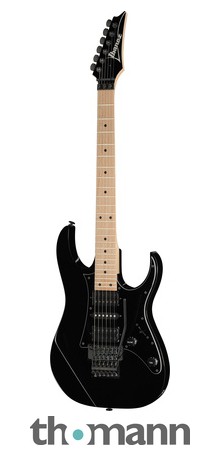 What Makes a Good Metal Guitar? Pickups, Necks and TuningActive vs passive pickups, fast necks, and the hardware that keeps you in tune through drop tunings — what actually matters in a metal guitar.